Doomscrolling is scrolling past the point where it's fun. You aren't enjoying it, you aren't learning anything, and you keep going anyway, because the next swipe might be the good one. Feeds are built to be easy to start and hard to stop, so this is not a willpower test you failed. It's a design you are up against. Learning how to stop doomscrolling is mostly learning how to change that setup.
The good news is that you don't have to beat the design head on. You just have to put a few small things in its way. None of the tactics below is magic. Stack two or three and the forty minute sessions get a lot rarer.
1. Decide what you're opening the app for
Before you tap the icon, say the reason in your head. "Reply to Sam." "Check the match score." When the thing is done, close the app. This sounds too simple to work, and on its own it often isn't enough. But it turns "I'm on Instagram" into "I'm on Instagram for one thing", which gives you a natural place to stop.
2. Charge your phone outside the bedroom
This is the single best fix for doomscrolling at night. If the phone isn't within reach of your bed, you can't scroll in bed. Get a cheap alarm clock, put the charger in the kitchen or the hallway, and say goodnight to the phone before you brush your teeth. The first two nights feel strange. Then it's just where the phone lives.
3. Turn the screen gray
Feeds look a lot less appealing in black and white. On iPhone, go to Settings, Accessibility, Display & Text Size, Color Filters, turn on Color Filters, and pick Grayscale. Some people leave it on all the time. Others only use it in the evening. Either way, it takes some of the shine off red notification badges and glossy videos.
4. Get the apps off your home screen
Press and hold a social app, choose to remove it, and send it to the App Library instead of deleting it. It's still there when you want it. It's just not the first thing your thumb lands on when you unlock the phone, and that matters, because a lot of scrolling starts with nothing more than seeing the icon.
5. Silence the pull with a Focus
Notifications are invitations to start scrolling. A Focus lets you silence notifications from specific apps and people. You can also link a Focus to a stripped down Home Screen page and set it to turn on at a set time. Set one up under Settings, Focus. A Sleep or evening Focus that hides social apps and their alerts after 10 pm is a good start.
6. Put social apps on a schedule
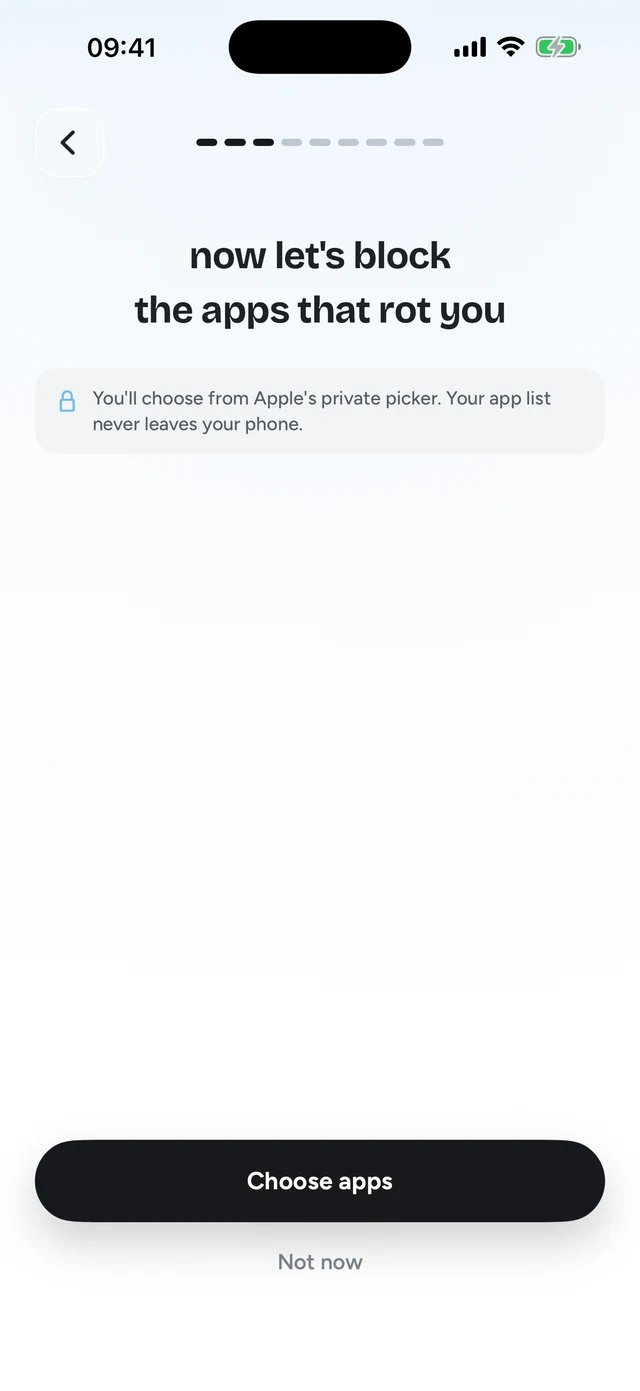
Screen Time can make apps unavailable at certain hours. On iOS 27, use Settings, Screen Time, Screen Time Schedule to create time windows like "evening" and choose what's allowed in each. On iOS 26, use Downtime. The catch: by default you can ignore these limits with one tap. If that's you, read our guide on removing Ignore Limit.
Step 1 of 3Pick the apps that eat your time




7. Add a pause before the app opens
The Shortcuts app can run an automation when a specific app Is Opened. You can use that to show a message, play a sound, or open something else first. It's a few seconds of friction, which is often enough to snap you out of autopilot. Apps like one sec are built around this exact idea: a short breathing pause before the app loads.
The weakness of a pause is that your brain learns to wait through it. After a few weeks the breathing screen is just part of opening Instagram. That's why the strongest version of this tactic, number 10, asks for something you can't do on autopilot.
8. Log out, or use the browser
If you only need TikTok or X once a day, delete the app and use the website in Safari. Mobile sites are usually clunkier than the apps, which works in your favor here. Logging out after each session adds another small step between you and the feed. If TikTok is the main one, here's how to block TikTok on iPhone step by step.
9. Have a replacement ready
Doomscrolling fills a gap: waiting for the kettle, lying in bed, the five minutes before a meeting. If the gap is empty, the phone fills it. Put something else there on purpose. A paperback on the nightstand. A crossword. A podcast you actually want to hear. It doesn't have to be better than TikTok. It only has to be easier to grab.
10. Make every scroll cost one right answer
This is the one we built, so take it with that in mind. It's also the one that fixes the problem with tactics 6 and 7: limits you can tap past and pauses you learn to sit through.
Quizlock locks the apps you choose using Apple's Screen Time system. When you open one, it asks you a quiz question on a topic you picked. Answer right and you earn 2 minutes of scrolling. Minutes stack up in a wallet that holds up to 30. Topics can be anything you type, like Spanish verbs or the French Revolution, and you can also make quizzes from your own PDFs, photos of notes and web links.
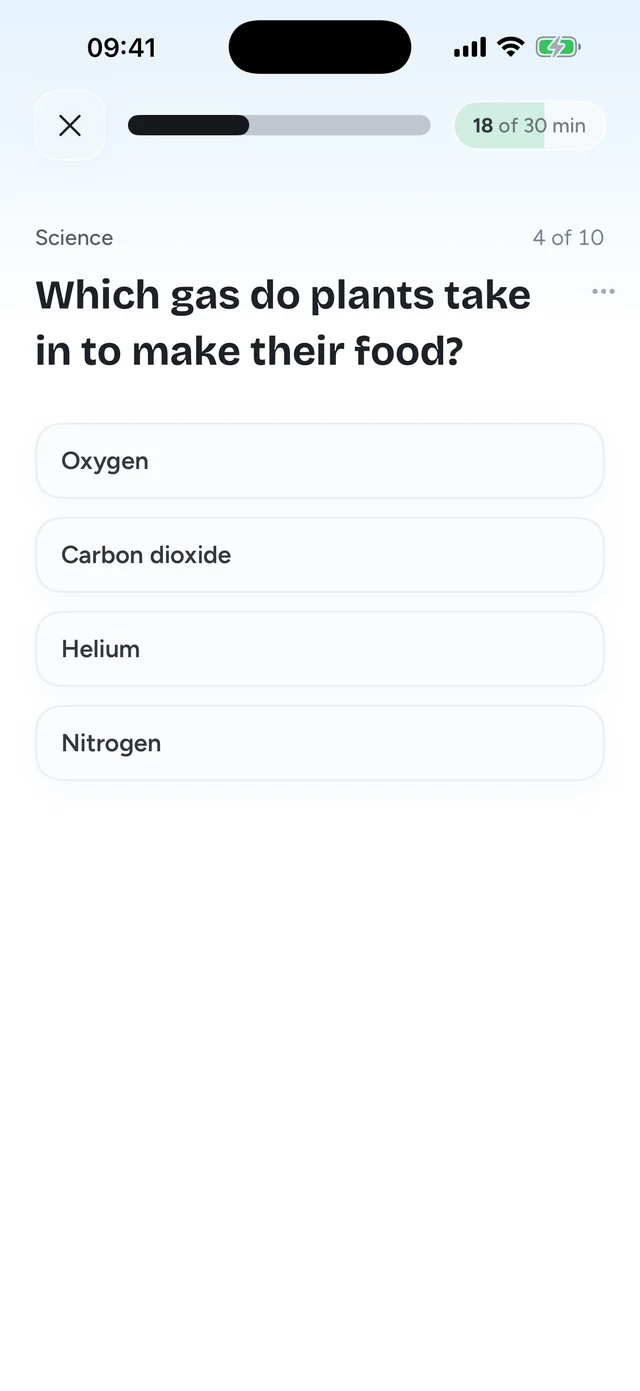
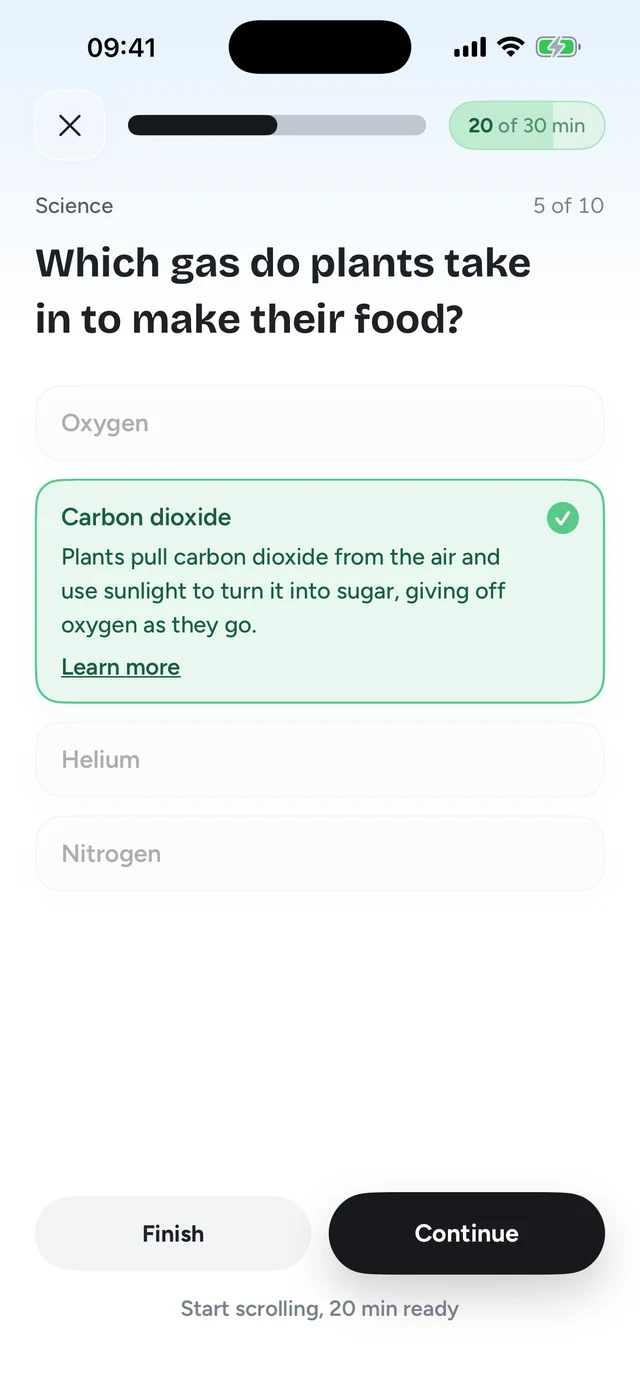
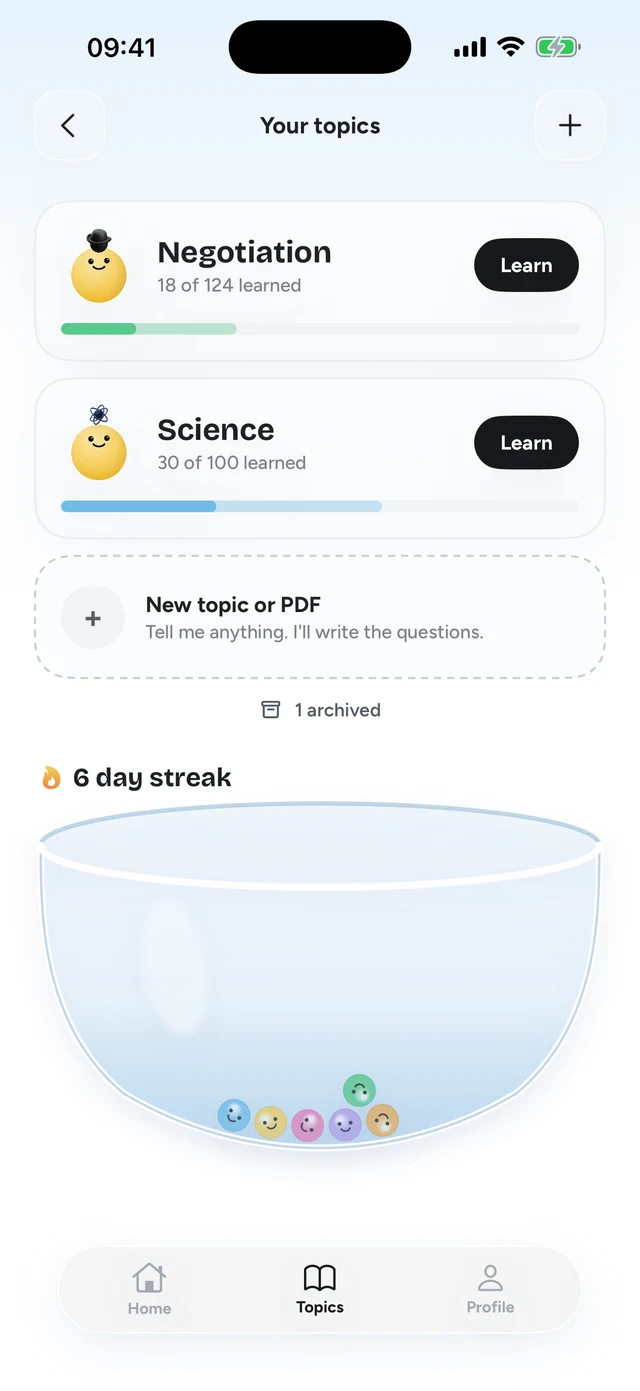
Two things make this work against doomscrolling. First, answering a question wakes you up. You can't do it on autopilot, so the urge to scroll has to pass through a moment of attention. Second, the gate pays you back. You don't feel robbed, so you don't spend your evening hunting for a way around it. It isn't unbreakable. It runs on Screen Time, so a determined person can get around it. The point is that answering is less work than cheating.
It also helps at night. The wallet holds 30 minutes at most, so a late session ends when it runs dry. At midnight, another question is often the nudge you needed to put the phone down.
What to do instead of doomscrolling
Most advice on how to stop scrolling skips the awkward part: the minute after you put the phone down. If nothing fills it, you pick the phone back up. So pick a few replacements now, while you're not in the middle of an urge, and match them to when you scroll.
- In bed: a paperback, a crossword, or an audiobook on a sleep timer. Something you can do with the lights low.
- In a queue or on the bus: a podcast you've been saving, or just looking around. Being a bit bored for four minutes is fine.
- On a work break: stand up, refill your water, step outside. A break that gets you out of the chair feels like a break.
- When you're anxious about the news: read one proper article from start to finish, then close it. One full story beats forty headlines.
- When you still want your phone: give it a job. Practice a language, review flashcards, text a friend back.
You won't stop scrolling completely, and you don't need to. The goal is that the feed stops being the default for every empty minute.
A simple plan for tonight
- Pick your worst app
The one you open without thinking. Usually it's one or two, not ten.
- Move the charger
Out of the bedroom, tonight. Use a real alarm clock.
- Gate the app
Use a Screen Time schedule with a passcode someone else holds, or lock it with Quizlock so each scroll costs a right answer.
- Leave a book where the phone was
Give your hands something to do in the gap.
If you want to compare the tools, our list of the best app blockers for iPhone is a fair look at all the main ones. And if you've been meaning to learn a language anyway, here's how to turn the urge to scroll into Spanish practice.
How do I stop doomscrolling at night?
Charge your phone outside the bedroom. If that's not possible, use a Screen Time schedule or a Sleep Focus that hides social apps, and gate them with something you can't tap past, like a passcode someone else holds or a quiz question.
Why can't I stop doomscrolling?
Feeds are designed to be easy to start and to never end. Every swipe might be the good one. Fighting that with willpower alone at 1 am rarely works, so change the setup instead: distance, friction, and a gate that asks for attention.
Does grayscale help with doomscrolling?
It helps some people. Feeds look duller without color. On iPhone, turn it on under Settings, Accessibility, Display & Text Size, Color Filters, then pick Grayscale.
What's the best app to stop doomscrolling?
It depends on what has failed for you before. If you keep ignoring limits and skipping pauses, try Quizlock. It asks a quiz question before a locked app opens, and a right answer earns 2 minutes. It's $69.99 a year with a 7-day free trial.
Is doomscrolling bad for sleep?
Every minute you scroll in bed is a minute you aren't asleep. That alone is reason enough to keep the phone out of the bedroom.