The Brick app is a clever idea. You stick a small NFC device somewhere in your home, tap your phone on it, and the apps you chose are blocked. To get them back you have to physically go back and tap it again. Your willpower doesn't have to win an argument, because the thing you'd argue with is in another room.
People search for a Brick alternative for a few reasons. They don't want to pay for hardware. They want something that works when they're away from home. Or they found that all or nothing means a lot of nothing. Here is how Brick and Quizlock compare.
The short version
| Feature | Quizlock | Brick |
|---|---|---|
| How you lock apps | Pick apps once in Quizlock. They stay locked until you earn time. | Tap your phone on the Brick device |
| How you unlock | Answer a quiz question right, get 2 minutes | Tap the device again, or use one of 5 Emergency Unbricks |
| A little scrolling allowed? | Yes, in 2-minute pieces, up to 30 minutes banked | No. Apps are blocked or they aren't. |
| Hardware | None | NFC device, battery-free |
| Price | $69.99 a year or $12.99 a month, 7-day free trial | $59 one-time for the device, 30-day money-back guarantee |
| Learning | Your topics, plus quizzes from your PDFs, photos and links | None |
| Platforms | iPhone | iPhone on iOS 18 or later, Android 12 or later |
Brick details are from getbrick.com as of October 2026. Quizlock prices are US list prices.
Brick is stricter, and that's the point
If what you want is a hard wall, Brick is stronger than Quizlock. When your apps are bricked, they are off until you tap the device or burn an Emergency Unbrick. You get five of those, and using one unblocks all your apps. Strict Mode stops you from deleting the Brick app or changing settings to get around it.
Quizlock doesn't try to be that. You can always get into Instagram if you can answer the question. We built it that way on purpose. Quizlock is for people who want to scroll less, not to stop entirely.
Where all or nothing breaks down
The hard part of Brick is that daily life isn't all or nothing. You need to reply to one Instagram DM. A friend sends you a TikTok. You want to check one thing on YouTube. With Brick, each of those means walking to the device and unbricking everything, or spending one of five emergency passes. Once the apps are open again, nothing is between you and an hour of scrolling until you walk back and tap.
Then there is the hardware itself. A lock that lives on your fridge does nothing when you are on a train, at a friend's place, or traveling. If you carry it on your keys so it's always nearby, it is now one tap away, which is a much weaker lock. And it is a physical thing, so it can get lost.
- Want to check one DM
- Walk to the Brick, tap to unlock
- Everything is open again
- Forget to re-brick, scroll for an hour
Strict while it's on. Wide open once it's off.
 Quizlock
- Want to check one DM
- Answer one quiz question
- Earn 2 minutes, reply, close it
- Time runs out, the lock is back
Small, earned windows. The lock never fully turns off.
How Quizlock works
Quizlock uses Apple's Screen Time system to lock the apps you choose. There is nothing to buy or carry. When you open a locked app you get one question on a topic you picked. A right answer earns 2 minutes, and minutes go into a wallet that holds up to 30. When the time is used up, the app locks again on its own.
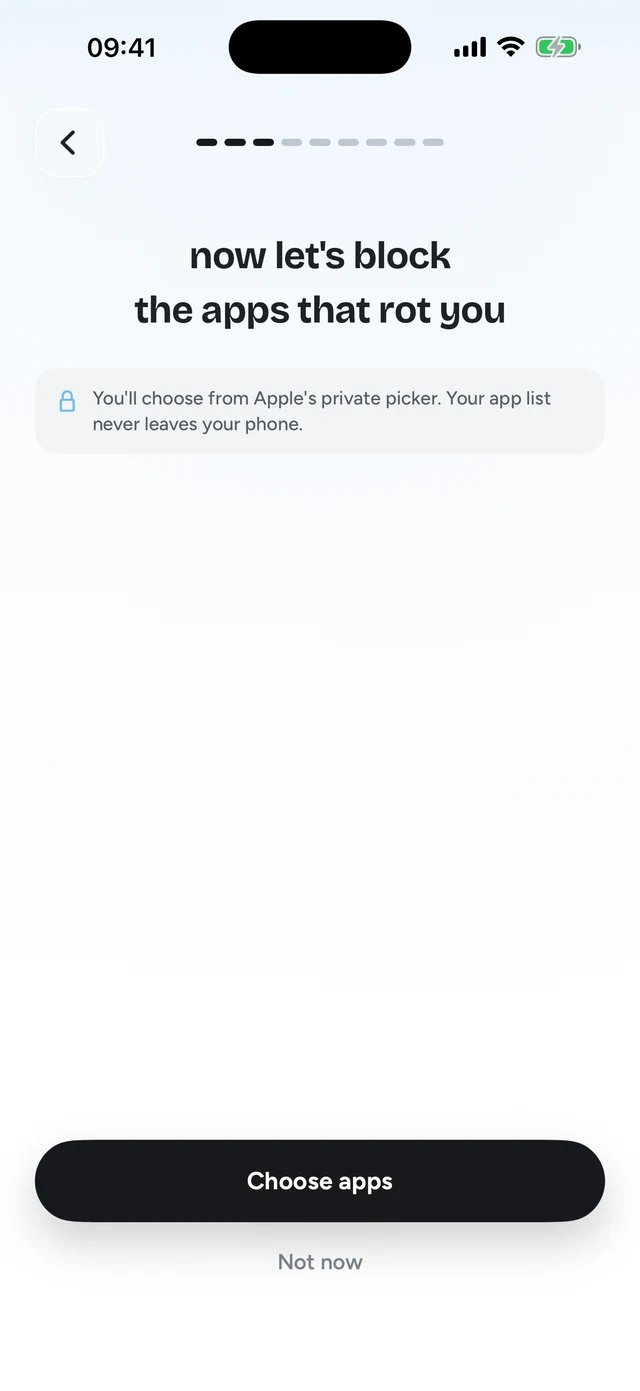
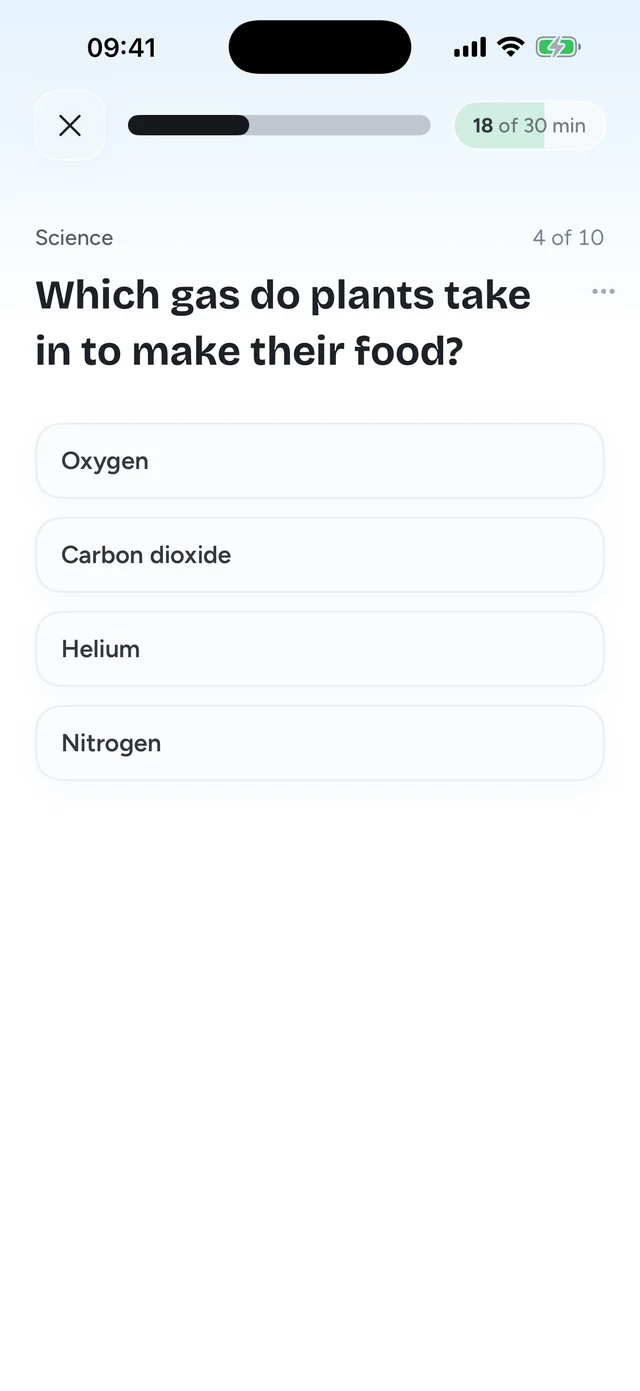
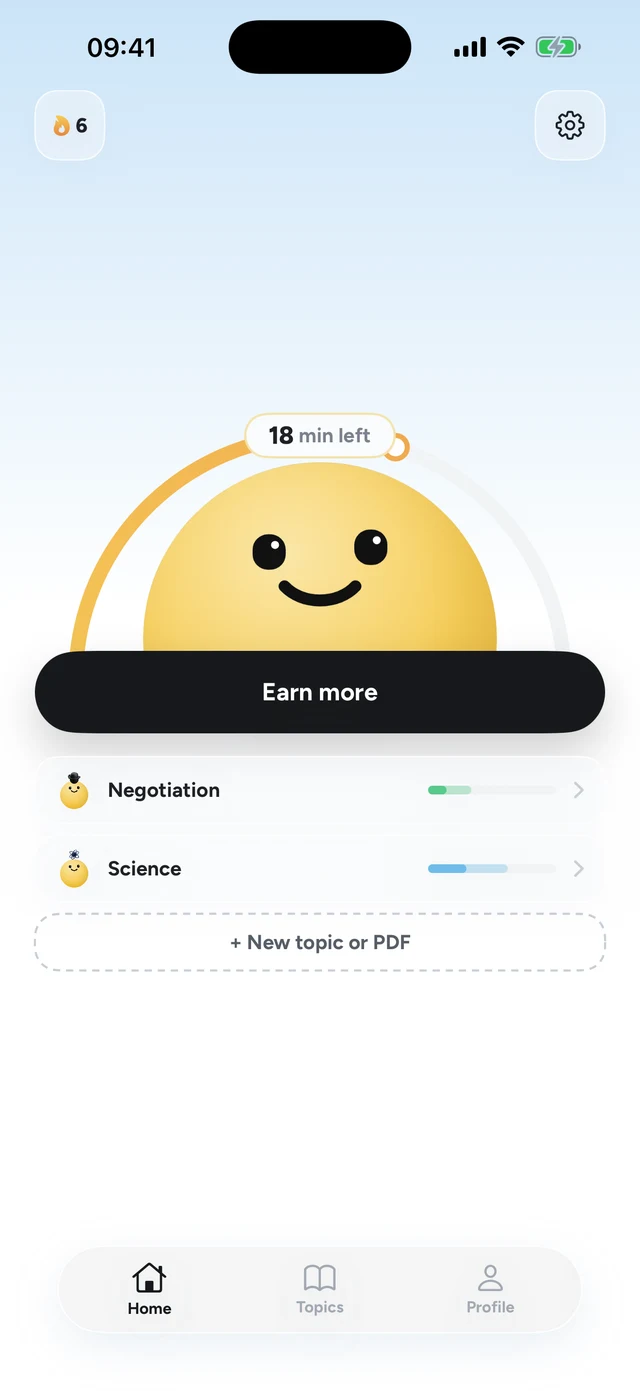
That makes the one-DM problem small. You answer a question, reply, and the app locks itself when the minutes run out. You don't have to remember to turn anything back on. And over a month, the questions add up to real progress on whatever you picked: a language, a course you're taking, or your own notes turned into a quiz.
Price: one payment vs a subscription
Brick is $59 once for the device, and Brick's site doesn't list a separate app subscription. Quizlock is $69.99 a year or $12.99 a month after a 7-day free trial. Over two years, Brick is clearly cheaper. What you pay for with Quizlock is the learning: questions on any topic you type, or built from your own PDFs, photos of notes and web links.
Brick also has a 30-day money-back guarantee, and Quizlock has a 7-day free trial. Either way, you can try it before you're stuck with it.
Where Brick is the better pick
- You want a hard lock with no way through except getting up and walking. Brick is stricter than Quizlock, plain and simple.
- You're mostly home and want evenings or weekends fully offline. Brick is built for that.
- You're on Android. Brick supports Android 12 or later. Quizlock is iPhone only.
- You'd rather pay once than subscribe.
Pick Quizlock if you want less scrolling, not zero
Brick is the right tool when you want your phone to go quiet for hours. If you need your apps now and then and just want the reflexive opens to stop, Quizlock gives you small earned windows instead of an on or off switch, with no device to keep track of.
- No hardware to buy, carry or lose
- Apps lock themselves again when your minutes run out
- Every unlock teaches you something you chose
What is the Brick app?
Brick is an app blocker that pairs with a small NFC device. You tap your phone on the device to block the apps you picked, and tap it again to unblock them. It works on iPhone with iOS 18 or later and on Android 12 or later.
Is there a Brick alternative without hardware?
Yes. Quizlock locks apps through Apple's Screen Time system, with no device needed. You unlock them by answering quiz questions, and each right answer gives you 2 minutes.
How much does Brick cost?
Brick's site lists the device at $59 one time, with a 30-day money-back guarantee, as of October 2026. The site doesn't list a separate app subscription.
What happens if I lose my Brick?
Brick gives you five Emergency Unbricks in the app, which unblock all your apps. Quizlock has no device to lose.
Is Quizlock as strict as Brick?
No. Brick blocks apps completely until you tap the device. Quizlock lets you in after a right answer, 2 minutes at a time. It is built to make scrolling cost something, not to shut it off.
Does Quizlock work on Android?
Not yet. Quizlock is an iPhone app.